Elevating the Peer-to-Peer Payment Experience with Animated Buttons: React Native Animated Masked View

At Chime®, we're committed to delivering top-notch experiences for our members. In our most recent update of the Pay Anyone feature, we've integrated an animated progress bar button to indicate the transaction is in progress and discourage repeated taps of the button.

Elevating the peer-to-peer payment experience with animated buttons: React Native animated masked view - Content Image 1
Elevating the peer-to-peer payment experience with animated buttons: React Native animated masked view - Content Image 2

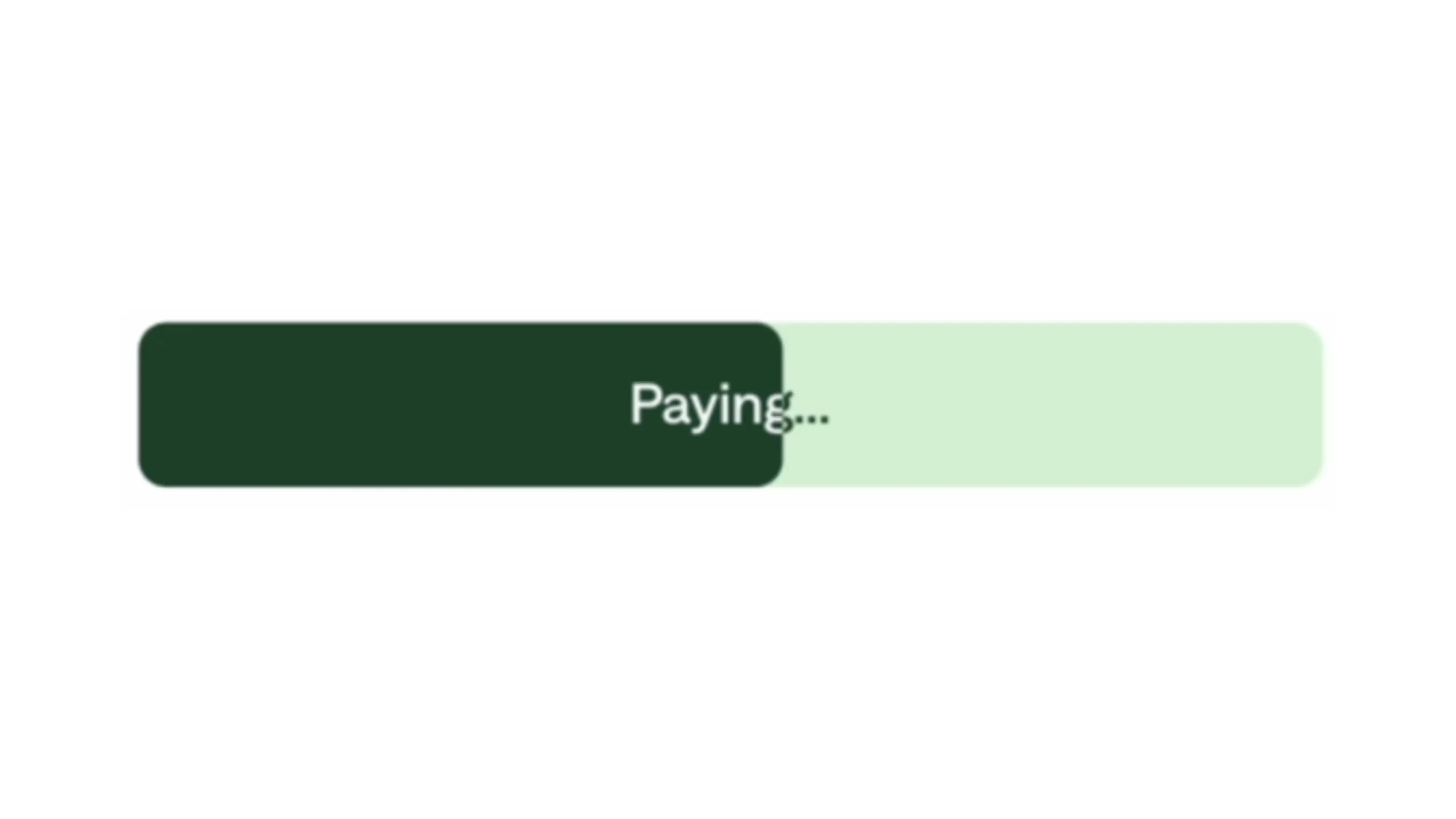
As illustrated in the image above, the text smoothly transitions from dark to light as the progress bar advances, seamlessly blending with the background. This technique, known as masking, allows us to highlight specific areas of objects while keeping the rest hidden. But achieving this effect programmatically wasn't so simple. It would have been easy to say this small detail wasn't possible or worth the effort, but our team persisted and by using the popular react-native-reanimated library in concert with react-native-masked-view, we were able to achieve an effect that we hope will surprise and delight our members.

At Chime, we use React Native as the framework for our mobile application development. When it comes to implementing animated progress bars, one approach is leveraging the React Native Animated library. However, lately, we've started to prefer a different library, the React Native Reanimated library, due to its array of advantages — notably its performance enhancements.

With Reanimated, we can easily interpolate the width of the progress bar based on the percentage completed. Here's a sample method demonstrating how to achieve this:

animationStyle = useAnimatedStyle(() => {
const value = interpolate(
timer.value,
[0, 1],
[0, 100],
);

return {
width: `${value}%`,
};
});

Stage 1: Static text color with two background colors

As a simplistic approach, we could opt for a static text label color while using two distinct background colors to indicate progress in the bar. However, this method has its drawbacks. Depending on the system design specification, these background color options might result in one being light and the other dark. Consequently, when one of these backgrounds is displayed, the text label might not be clearly visible due to poor contrast and leads to a subpar user experience. It also doesn't adhere to Chime's standard to comply with our Americans with Disabilities Act (ADA) policy.

Elevating the peer-to-peer payment experience with animated buttons: React Native animated masked view - Content Image 3
Elevating the peer-to-peer payment experience with animated buttons: React Native animated masked view - Content Image 4

Stage 2: What if we invert the color of the text as the progress bar advances?

To achieve a transition where the text color changes from one hue to another, one method involves employing two overlapping text labels—one light and one dark. By animating the opacity of the dark text label from 1 to 0 (and vice versa for the light label).

While this method addresses the initial and final states accurately, it becomes apparent that certain portions of the text label lack sufficient contrast with the background during the progress bar transition.

const opacityAnimationStyle = useAnimatedStyle(() => {
const opacity = interpolate(
timer.value,
[1, 0],
[1, 0],
);


return {
opacity,
};
});

<Animated.View style={[ styles.label, opacityAnimationStyle]}>
<Text>{label}</Text>
</Animated.View>

Elevating the peer-to-peer payment experience with animated buttons: React Native animated masked view - Content Image 5
Elevating the peer-to-peer payment experience with animated buttons: React Native animated masked view - Content Image 6

Stage 3: Animate the masked view

To ensure a smooth progression of the progress bar, we implement a masking technique. This allows us to selectively apply color treatment to specific segments of the phrase, creating a visually cohesive transition.

Below is a sample phrase with mask applied. As demonstrated, the 0-25% segment of the phrase can be highlighted in dark green, and the 25-50% segment in light green, as specified. One popular React-Native masking library is https://github.com/react-native-masked-view/masked-view

Elevating the peer-to-peer payment experience with animated buttons: React Native animated masked view - Content Image 7

With a single masked view, we can color the text label with one hue as the progress bar advances. However, to achieve the desired effect of transitioning from dark to light text as the progress bar moves, we employ two masked views. One is dedicated to the light-colored text while the other handles the darker hue. As the first masked view transitions out, the second masked view seamlessly transitions in. This dynamic interaction creates the illusion of the text color changing.

const maskElement = (
<View style={styles.maskElement}>
<Text>{buttonLabel}</Text>
</View>
);

<MaskedView style={styles.maskedView} maskElement={maskElement}>
<Animated.View
style={[styles.beforeStateTextColor, widthAnimationStyle]}
/>
</MaskedView>
<MaskedView style={styles.maskedView} maskElement={maskElement}>
<Animated.View
style={[styles.afterStateTextColor, widthAnimationStyle]}
/>
</MaskedView>

By combining animation with the masked view, we can observe the anticipated outcome of dynamically transitioning the text color in sync with the progress bar's advancement!

Elevating the peer-to-peer payment experience with animated buttons: React Native animated masked view - Content Image 8

Elevating the peer-to-peer payment experience with animated buttons: React Native animated masked view - Content Image 9

The React Native community has crafted a variety of excellent tools designed for diverse use cases. However, these tools truly shine when applied to real-world challenges. In our project, we leveraged these tools to significantly enhance our members' experience, making the entire process enjoyable and rewarding. This engagement not only allowed us to deliver substantial value to our members but also enabled the seamless integration of two great technological tools!

Shoutouts

Arthur Lee, Chen Su, Ethan Kong for their invaluable feedback and code review.

Phillip La for his innovative design concept.

Melissa Mar Leung for her invaluable design support.

Jack Chong for his unwavering product support.

Our amazing colleagues (Scott Sebelius, Zöe Desroches, Ishan Singh, Rahul Gupta) who helped us edit this post.